
A profile for everyone
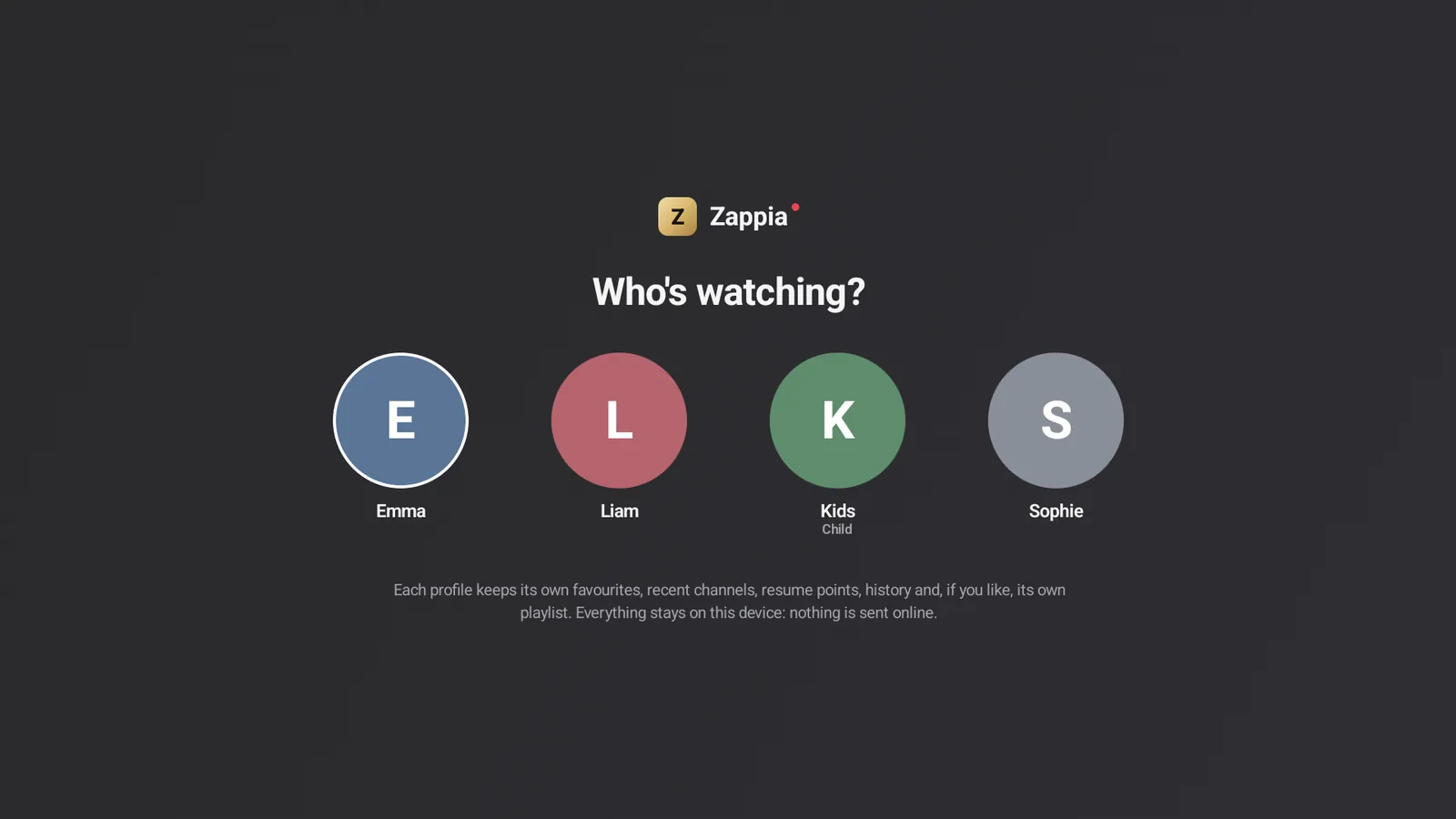
“Who’s watching?” at launch: everyone gets their own favorites, history, resume points and even their own playlist.
IPTV player for Android, Android TV and Google TV
Zappia plays your M3U playlists and Xtream Codes accounts on phones, tablets and TVs: live TV, program guide, movies, series and recordings. Simple from the very first minute, and complete whenever you want to fine-tune everything.
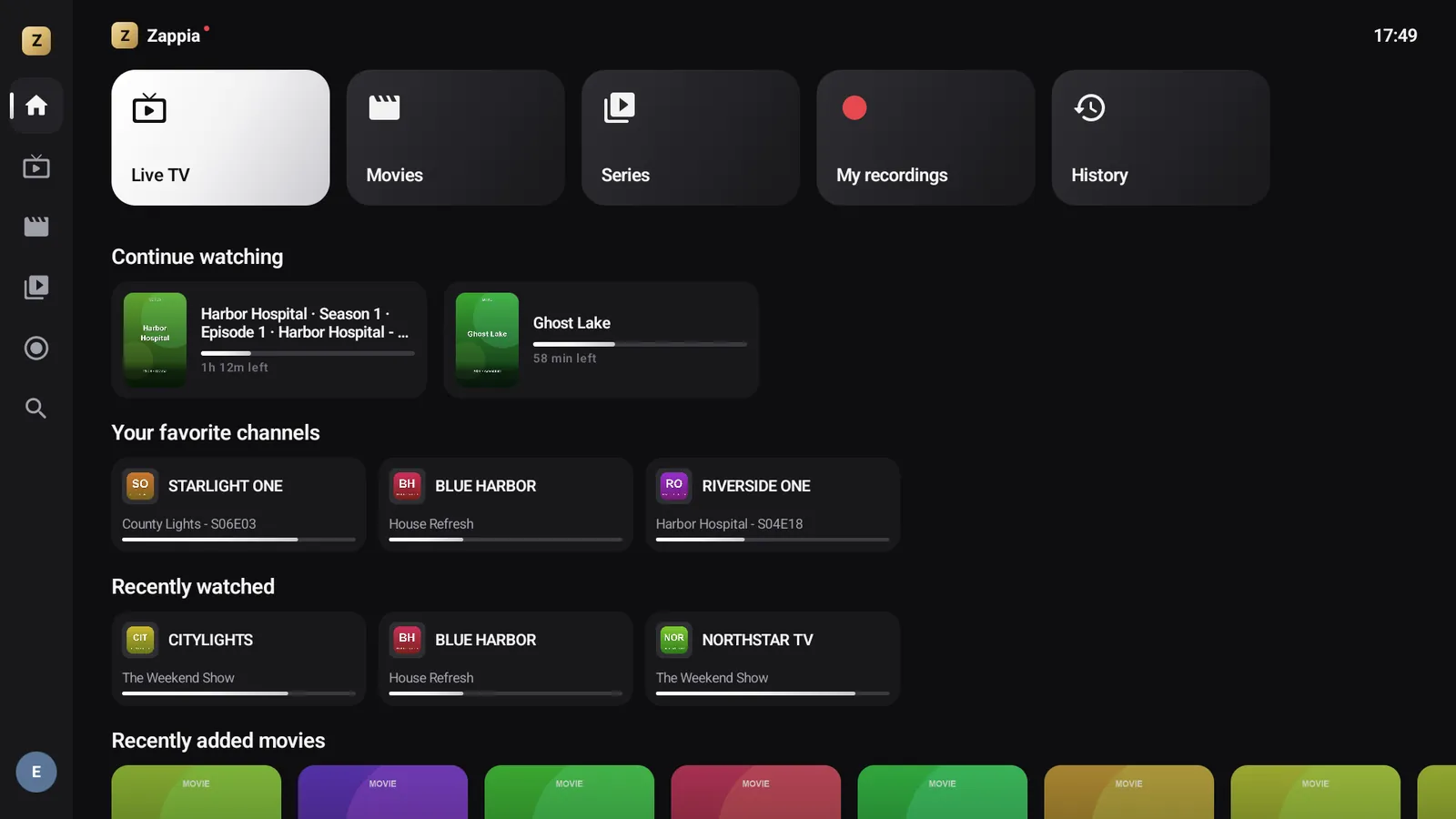
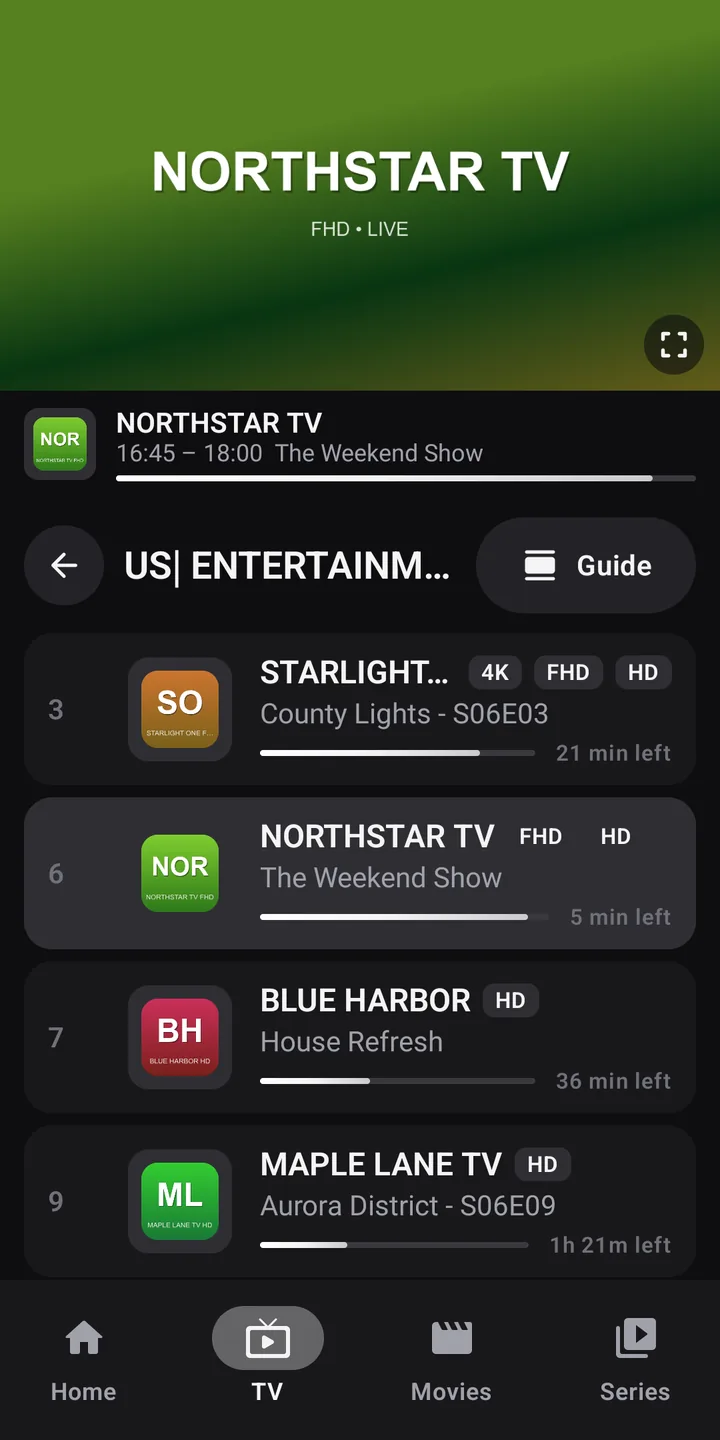
Zappia is a player. The app contains, sells and offers no channels, no movies and no playlists. You add your own sources — an Xtream Codes account given to you by your service provider, an M3U link or an .m3u file — for which you must hold the necessary rights.
Why Zappia
Zappia was designed for the whole household: newcomers find everything on the first try, enthusiasts fine-tune every detail.
“Who’s watching?” at launch: everyone gets their own favorites, history, resume points and even their own playlist.
Channels, movies, series and TV programs, by voice too. What’s on now comes first; an upcoming show can be recorded in a single step.
Movies, the next episode of your series, paused live TV: it’s all waiting for you on the home screen.
OK plays the channel in the preview, OK again takes it full screen, without reloading the stream.
Exactly as your provider sends them, with your countries first and the HD, FHD and 4K versions of a channel combined on a single row.
Enter your Xtream credentials or your M3U link on your phone: a QR code is all it takes.
Access denied, too many devices, server down: Zappia tells you what’s happening and shows its retry attempts, instead of a black screen.
A lightweight interface, as smooth with the remote as it is by touch, tested on entry-level Android TV boxes.
Live TV
Categories scroll on the left, channels and what’s on now in the middle, the live preview on the right. One move and the channel goes full screen.
Guide and recordings
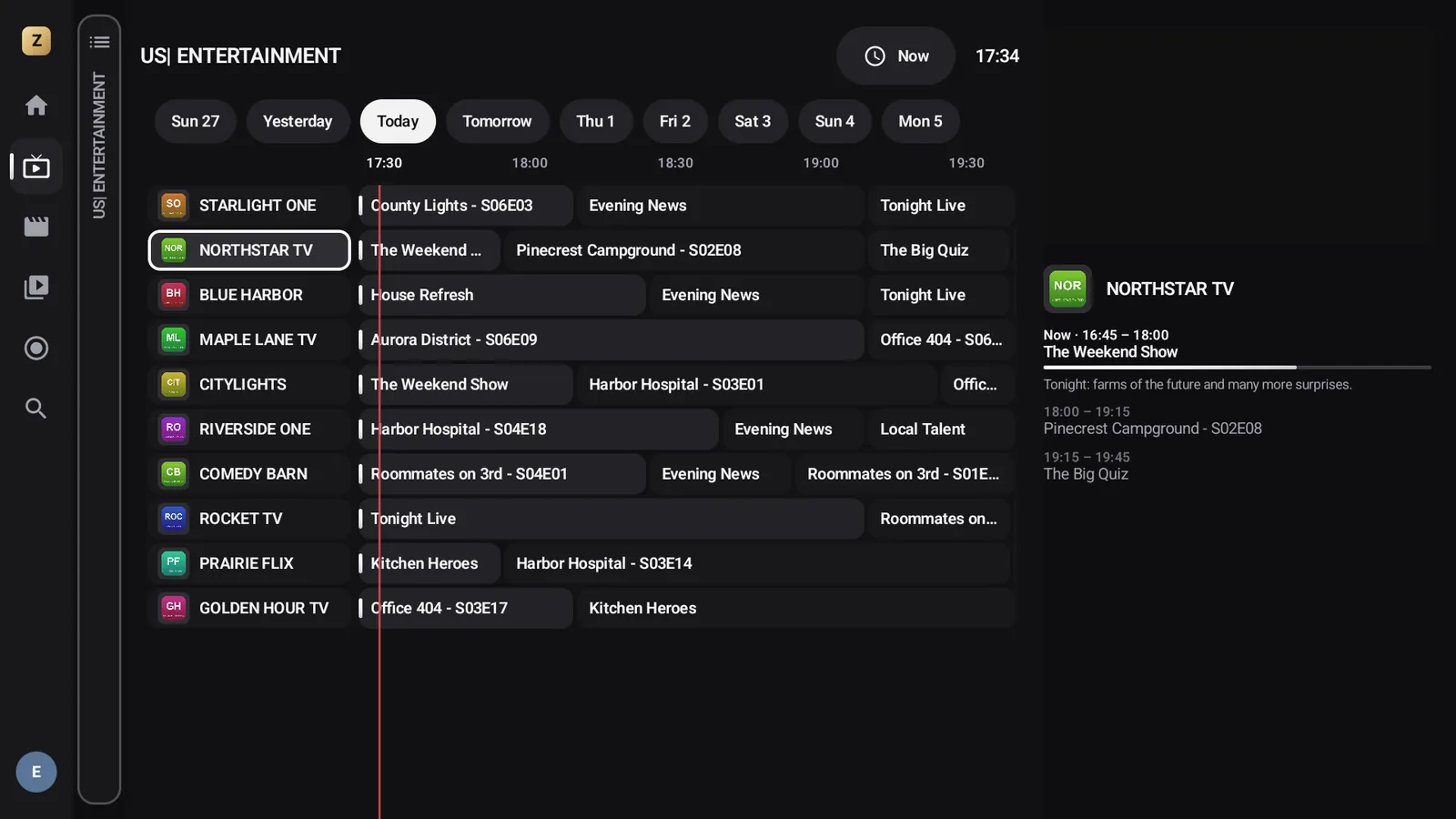
A smooth grid that updates in the background without ever interrupting what you’re watching. Pick a show: watch it, start it from the beginning, set a reminder or record it.
Movies and series
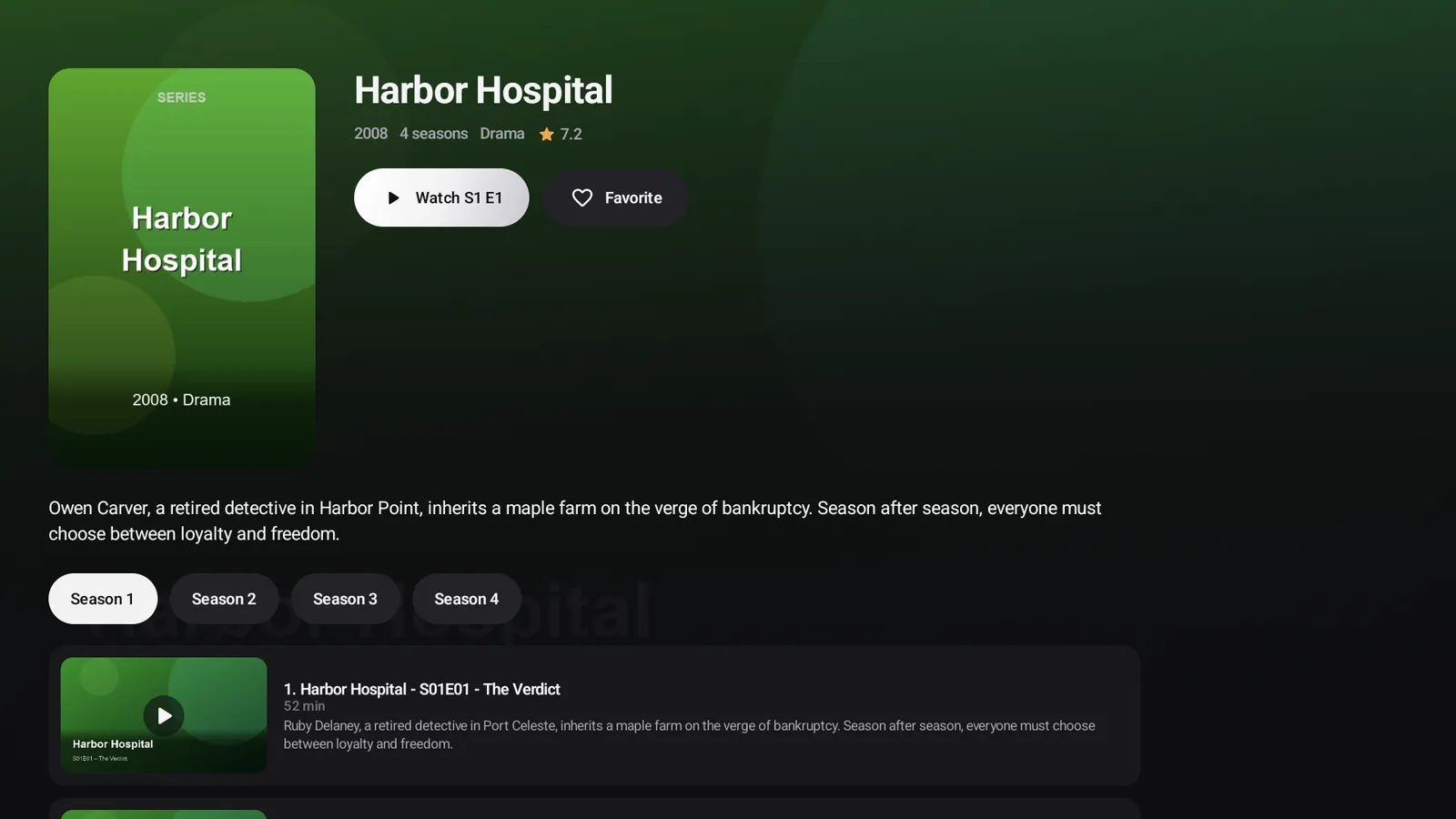
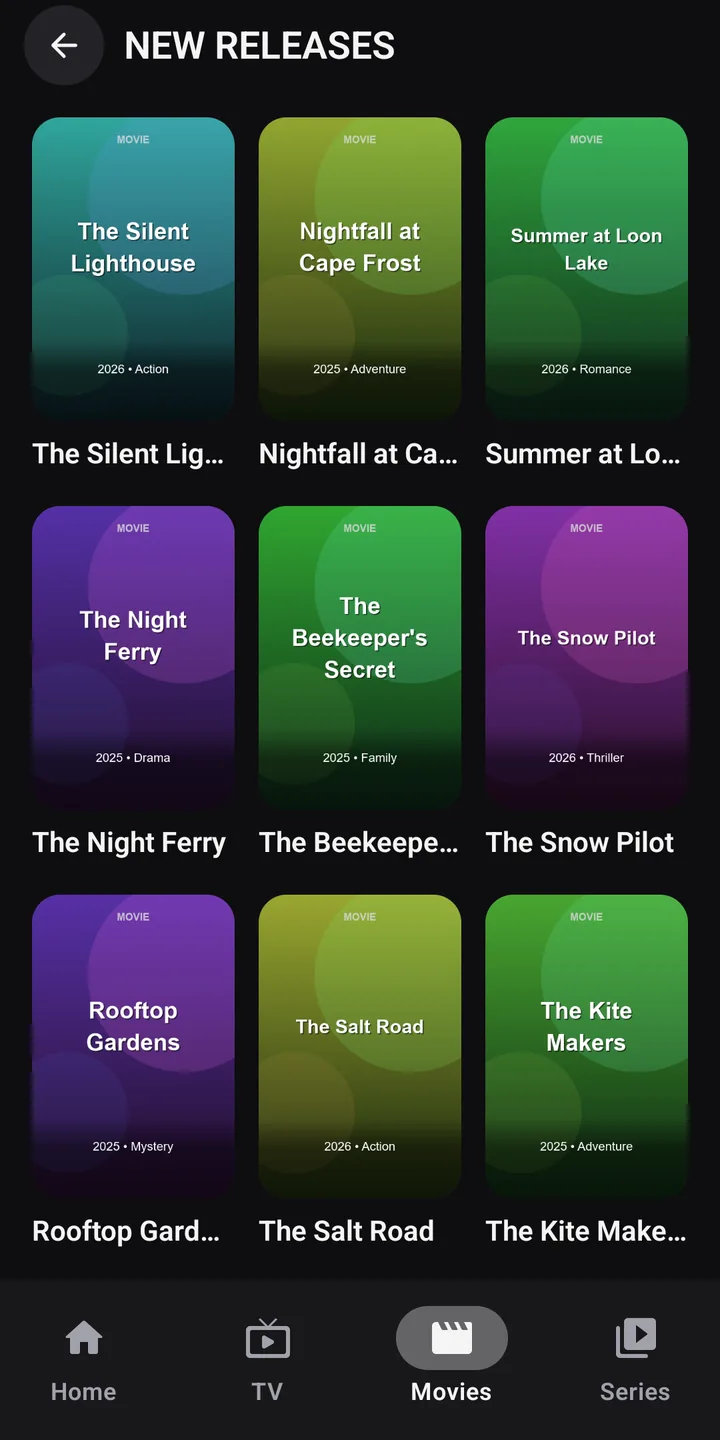
Posters, detailed pages, seasons and episodes: the movies and series in your playlist are presented just like on a streaming service.
Profiles and parental control
Just like the big streaming services: every member of the family has their own favorites, resume points and history. A 4-digit parental code protects adults-only groups.
Search
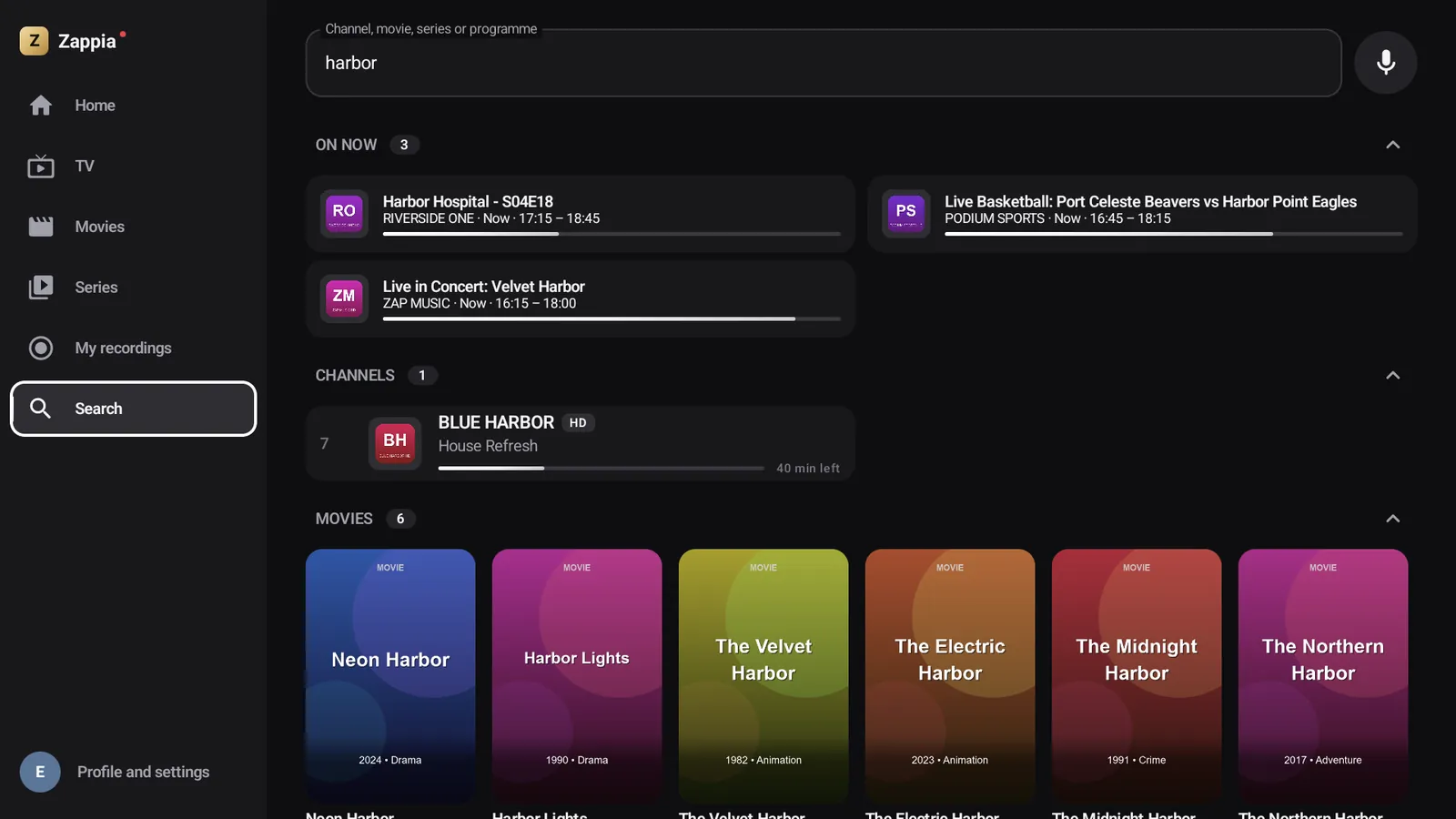
Type two letters or just speak: Zappia searches channels, movies, series and the program guide. Shows on now appear first, and upcoming ones can be scheduled in a single step.
Android TV and Google TV
Everything works with the arrow keys and OK, and you never get lost. If you’d rather use a mouse or a touchscreen, that works too.
Preview, then full screen. A first OK plays the channel in the preview, a second one takes it full screen, without reloading the stream.
Change channels in full screen, to the previous or next one. The direction can be reversed in the settings.
Every control: channel list, record, favorite, audio language, subtitles, quality, picture format, sleep timer, reload the stream.
The item’s menu: add to favorites, hide, remove from recent channels…
Takes you back exactly where you were, one step at a time, with the selection on the item you left.
Privacy
No sign-up, no email address to hand over. Just install and start watching.
Zappia includes no advertising, audience measurement or crash reporting tools.
Your playlists, profiles and history never leave your device. Nothing goes through our servers.
Guides
Every screen, every setting, every gesture explained, by touch and with the remote.
Zappia is coming soon to Google Play, for phones, tablets, Android TV and Google TV.