
Finding your way around Zappia
The home screen, the bottom bar on phones, the side menu on TVs, long-press and the Back button.
On this page
The home screen
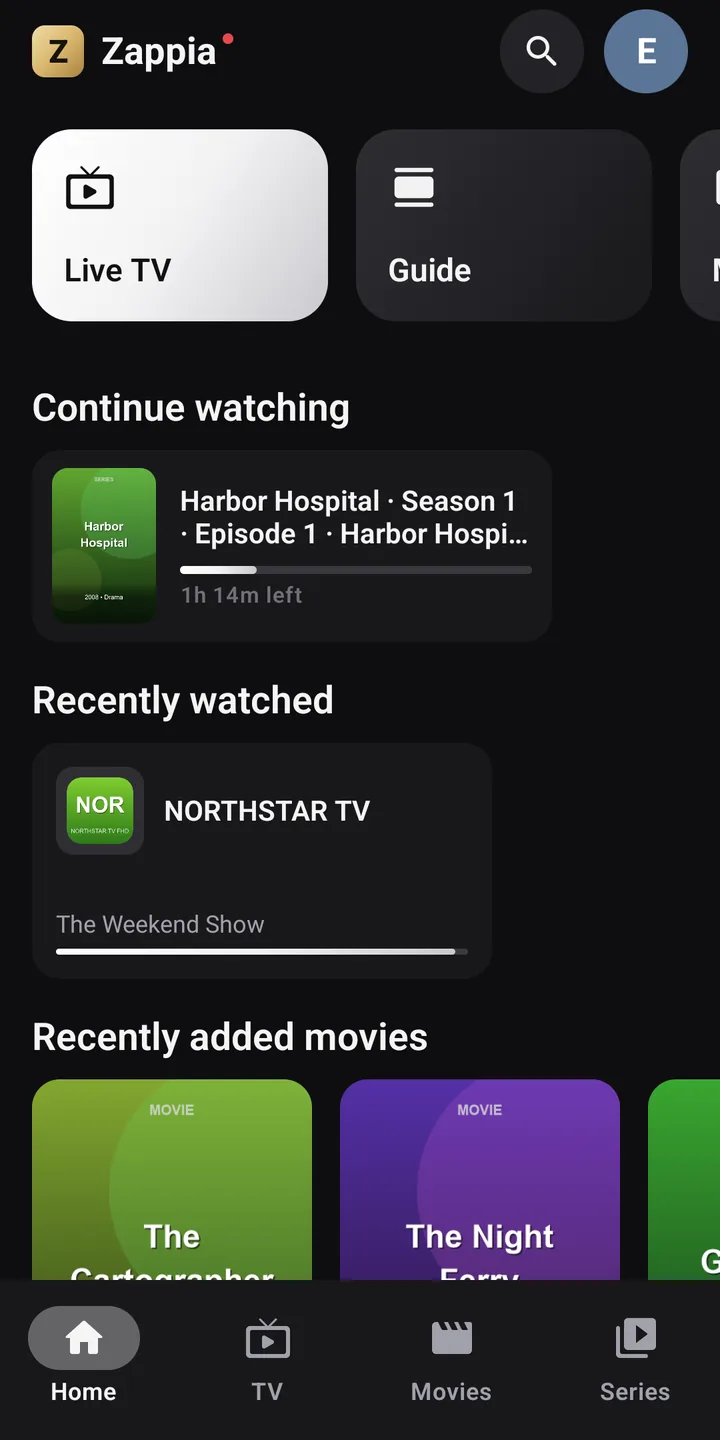
At the top of the home screen, tiles lead to the main sections: Live TV, Guide (phone in portrait) Premium, Movies, Series, My recordings Premium and History.
Below them, rows fill up as you watch:
- Continue watching: movies you started and, for each series, the episode in progress or the Next episode;
- Your favorite channels Premium, with the program on now;
- Recently watched: your latest channels;
- Recently added movies and the latest series in your playlist.
A channel on the home screen opens straight in full screen. When you start from your favorites, ▲ ▼ flip through your favorites.
Long-press: each item’s menu
Almost everything in Zappia has an action menu:
On phones and tablets
Keep your finger pressed on a channel, a poster, an item in Continue watching…
On TV, with the remote
Hold OK down, or press the Menu key on the remote if it has one. Releasing OK doesn’t confirm anything: choose the action afterwards.
Examples: Add to favorites, Remove from recent channels, Start from the beginning, Remove from “Continue watching”, View details.
The Back button
Back always takes you back exactly where you were, one step at a time, with the selection on the item you left: from full screen to the channel list, from a details page to its poster in the grid, from a submenu to the main menu.
On phones, each screen has its own back arrow at the top left, because Android’s navigation bar is hidden during playback.
The expiration reminder
With Xtream credentials, Zappia knows when your subscription ends. A banner appears on the home screen 7 days before: Your subscription expires in 5 days. Remember to renew it. You renew with your provider, not in Zappia.
Theme and text size
In SettingsDisplay:
- Theme: Graphite (black and white) by default, or Midnight (glacier blue), Emerald (deep green), Cinema (black and red) and Gold (black and champagne);
- Text size: Small, Normal, Large or Very large.